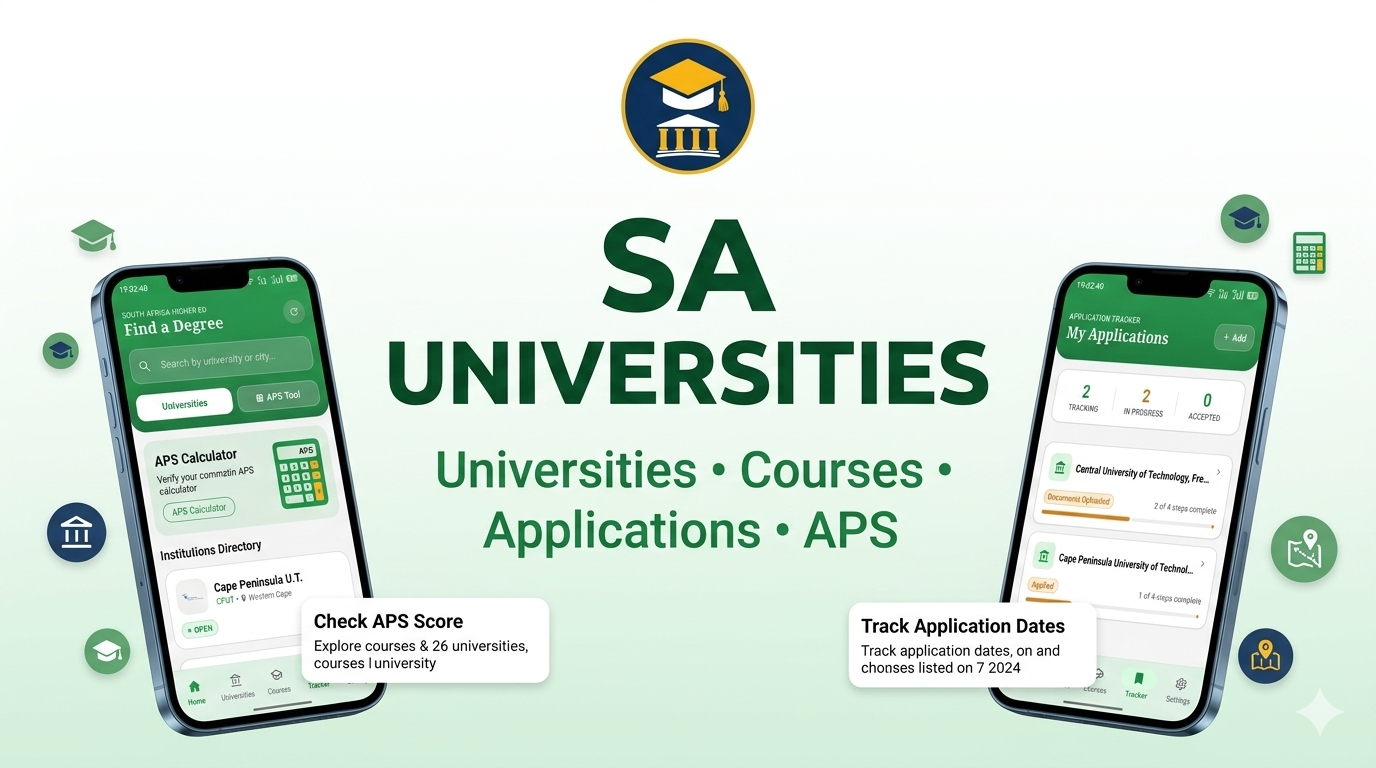
SA Universities App: #1 in South Africa
SA Universities App: Compare Courses and Plan Your Applications
Choosing a university in South Africa takes more than picking a name. Course options, admission rules, campuses and application dates vary by institution, so one missed detail can affect your plans.
The SA Universities app on Google Play may give you a starting point for this research. Its listing describes university and course information, an APS calculator, application tracking and deadline reminders.
Use the app to build a shortlist and keep your research in order, then confirm key facts with each university. Admission rules, fees and dates can change, and the app says it is an independent guide rather than an official university or government service.
Find university information in one place with the SA Universities app
The app listing says users can browse all 26 SA universities app and explore courses, application dates, fees, campus details and official application links. It also describes tools for checking APS scores, tracking applications, managing document lists and setting reminders. These features can help you organize early research, but they don’t replace the latest information from a university.
Check what the app includes
Google Play lists the app as SA Universities APS Calculator, published by Web Design Concepts.
The description covers course search, an APS calculator based on the seven-point NSC system, an application tracker, document checklists and deadline reminders. It also says some information is available offline and that saved application details are stored on the device. The listing’s data safety section says the developer reports no data collected and no data shared with third parties.
Search and browse the institutions available
According to the listing, you can browse public universities across all nine provinces and filter courses by name, institution, faculty or study field, APS score, qualification level and study mode. It also says the app includes application dates, fees, official portals and contact details. Check the available institutions and courses against your own goals, especially if you’re considering a private provider or a specific campus.
The app’s release information names the University of Cape Town, Wits, the University of Pretoria, UNISA and the University of Johannesburg among examples. That confirms these names appear in the listing, but it doesn’t confirm that every course or campus detail is current. Follow the university links shown in the app to check the latest facts.
Use sa universitites profile as a research starting point
The listing says university entries may show faculties, study areas, campus information, contact details and official websites. Use those details to identify possible options, then open each institution’s own pages for current course information and admissions guidance. If an official link doesn’t work or a detail seems unclear, contact the university directly.
Compare SA universities against your priorities
A useful shortlist reflects what you want to study and what will work for your life. Compare institutions using details you can verify, rather than relying on a general ranking or a single score. The app can help collect options, but your priorities should guide the final comparison.
Match courses to your career goals
Check the exact qualification name, subjects, length of study and stated career paths for each course. Similar names can refer to different programmes, and a course may not be offered at every campus. Confirm availability and entry rules with the university’s current prospectus or course page.
The app says course listings include requirements, APS scores, subject requirements, duration and career opportunities. Treat these as research leads, then confirm them with the institution. For a profession with formal entry rules, check accreditation with the relevant professional body as well.
Weigh location, campus and study format
Consider where you’ll live and how you’ll get to classes. For example, the University of Cape Town is in Cape Town, while Wits is in Johannesburg; travel time, rent and transport costs can differ sharply between cities. Check the specific campus for your course, since a university may teach programmes at more than one site.
Ask whether the programme is offered in person, online or in a blended format. The app listing says its course search can filter by study mode, but confirm the format with the university before applying. Also check accommodation options and whether campus services are available to students in your programme.
Compare costs and student support
Look beyond the application fee. Check tuition, registration costs, course materials, housing and transport, since the full cost of study can exceed the amount shown for tuition alone. The app says its university information includes application fees, but fee details can change each year.
Review financial aid, bursaries, counselling, tutoring and disability support at each institution. Ask about eligibility, how to apply and when funding closes. Confirm every amount and condition with the university or funding provider before you make a budget.
Turn university research into a stronger application plan
Once you have a shortlist, turn each option into a separate application plan. The app describes an application tracker with stages such as “Interested,” “Applied” and “Offer Received,” plus deadline reminders. These tools may help you stay organized, but the university remains the source for your application status and next steps.
Verify admission requirements for each programme
Check subject prerequisites, minimum APS scores, selection rules and any extra steps, such as an interview or portfolio. The app says it lists APS and subject requirements, and its calculator can estimate a score from your marks. Use that estimate for planning, then confirm how the university calculates APS for the programme you want.
Meeting a minimum requirement may not guarantee an offer. Some courses have limited places or extra selection criteria. If anything is unclear, ask the admissions office before you apply.
Track deadlines and required documents
Make a separate checklist for each institution. The app’s listing names items such as certified ID, school results, proof of residence and parent or guardian income documents, but requirements vary by applicant and programme. Check whether you need certified copies, official results or extra supporting material.
Record opening dates, closing dates and any fee payment deadlines. The app says you can set reminders, including custom ones, but confirm dates with the university because they may change. Save proof of submission and any application reference number in a secure place.
Check funding and application routes early
Find out whether you must apply through the university, a central application service or another route. The app says it links to resources such as NSFAS, the Central Applications Office and bursary opportunities. Follow those links to the official provider and read its current terms.
Funding forms often have their own deadlines and eligibility rules. Check which academic year the funding covers and whether you need a separate application. Don’t assume a university application also counts as a funding application.
Use the SA Universities app safely and keep information current
The app can help with research, but its listing says it isn’t affiliated with or endorsed by DHET, NSFAS, CAO or the sa universities app shown. That distinction matters when you’re checking admission decisions, payment details or official deadlines. Treat the app as a planning aid, not the final authority.
Confirm important details with official sources
Verify programme details, fees, application dates and admission rules on each university’s official website or with its admissions office. For national higher-education context, check current Department of Higher Education and Training publications and SA Universities app resources. Use dated, official sources when comparing figures.
Choose your next step with confidence
The SA Universities app offers tools for exploring public universities, comparing courses and organizing application tasks. Start by checking its current listing, then use the features that fit your research. Build a shortlist around your course goals, location and budget, and confirm every important detail with official sources before you apply.
Key takeaways for prospective students
- Check the app’s listed features and privacy details before use.
- Compare courses, campuses, study formats and total costs.
- Confirm admission rules, dates and documents with each university.
- Check funding requirements and deadlines with official providers.
Download the SA Universities app now from google play store.
